


There are two ways to pay for the waqf using JomPAY i.e. by getting registered using WAPAR(Wakaf Perak Al Ridzuan) Portal or to pay by using the Waqf Pay button in WAPAR Portal.
Getting Registered using Wakaf Perak Al Ridzuan Portal :
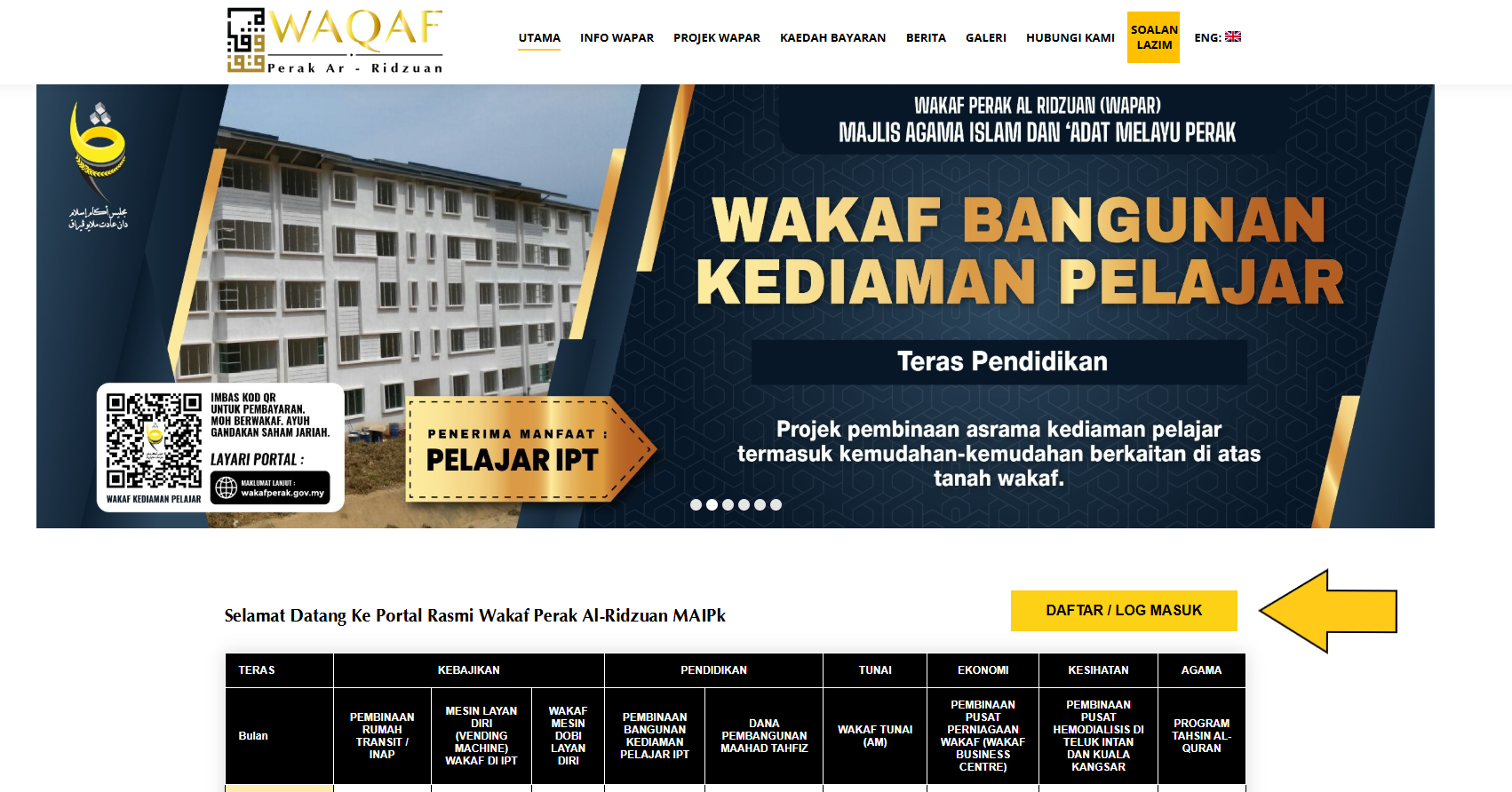
1. Click on the Log-In/Register button on the portal main display as in the figure below :
2. After that you will be taken to the WAPAR System as below :

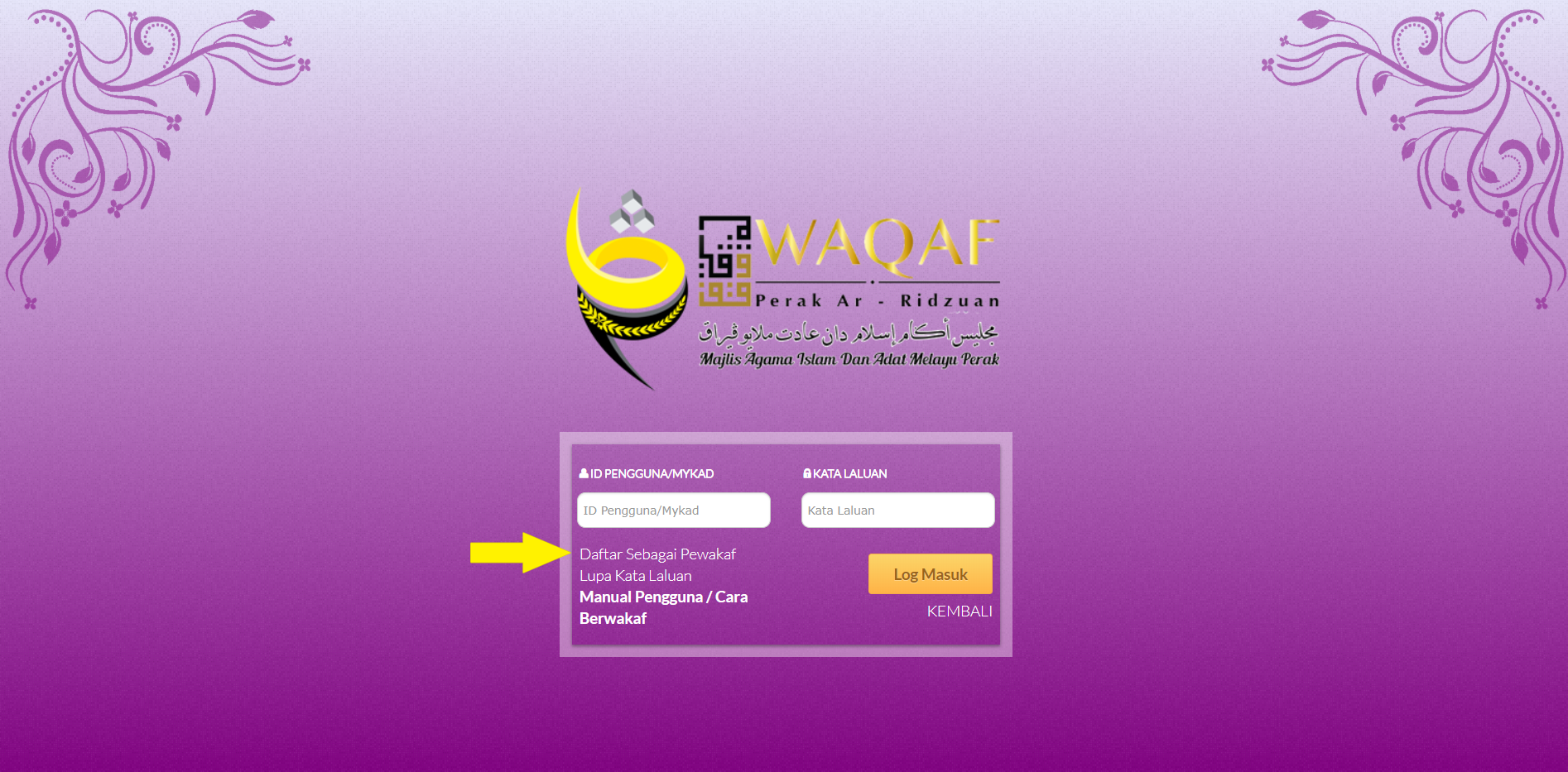
3. To register as waqf contributor, click on the Waqf Contributor Register/Login button, you will be taken to the waqf contributor login display like in the figure below, click on the link Register as Waqf Contributor.
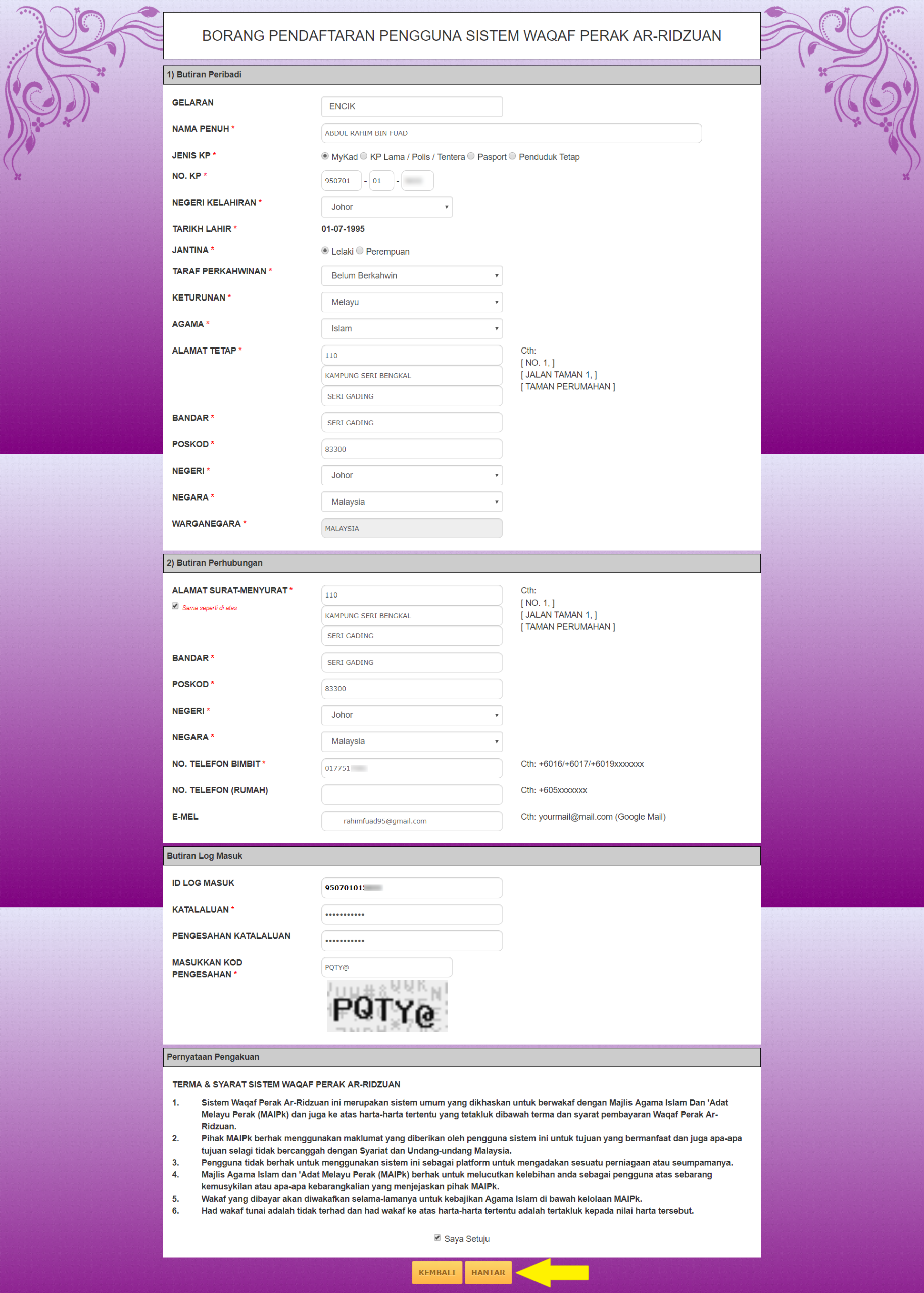
4. The waqf contributor form will appear, please fill in all the mandatory information required to register, once completed, click on the Submit button.
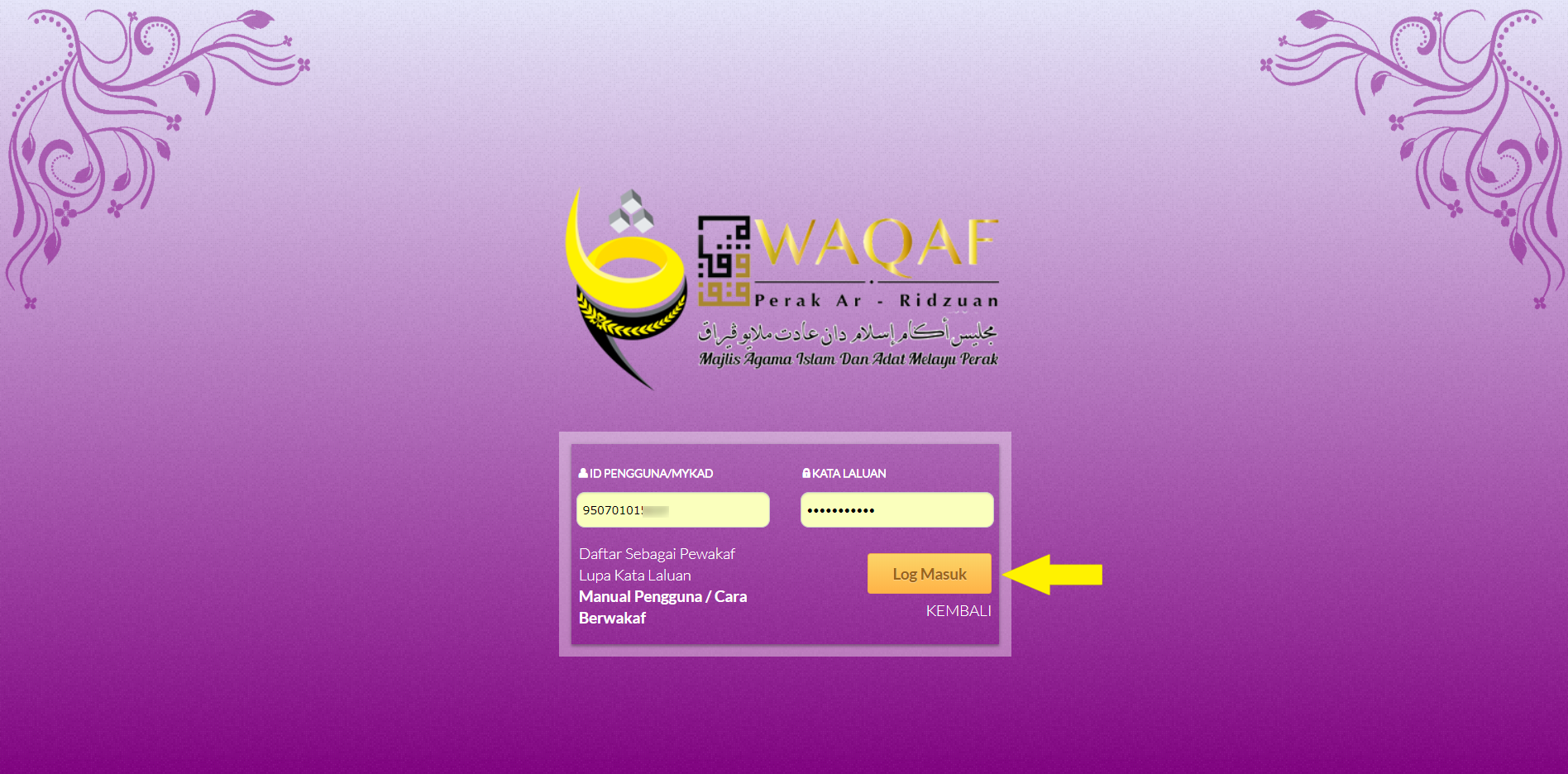
5. The display of Registration Successful will be shown, then after you will be brought to the waqf contributor login display, please enter your User ID and Password and click on the Login button.

6. A display profile as shown in the figure below will be displayed after a successful login into the system.
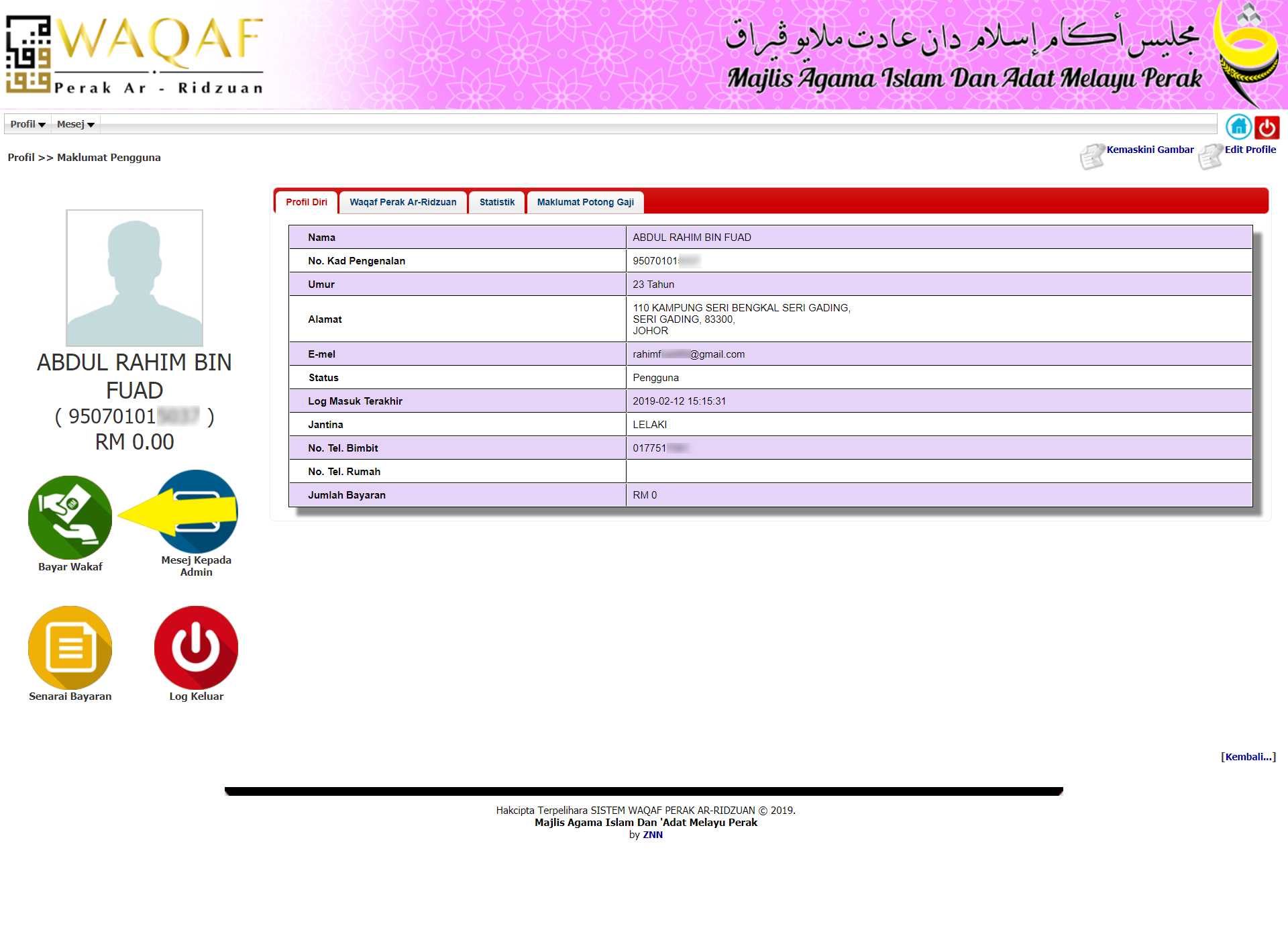
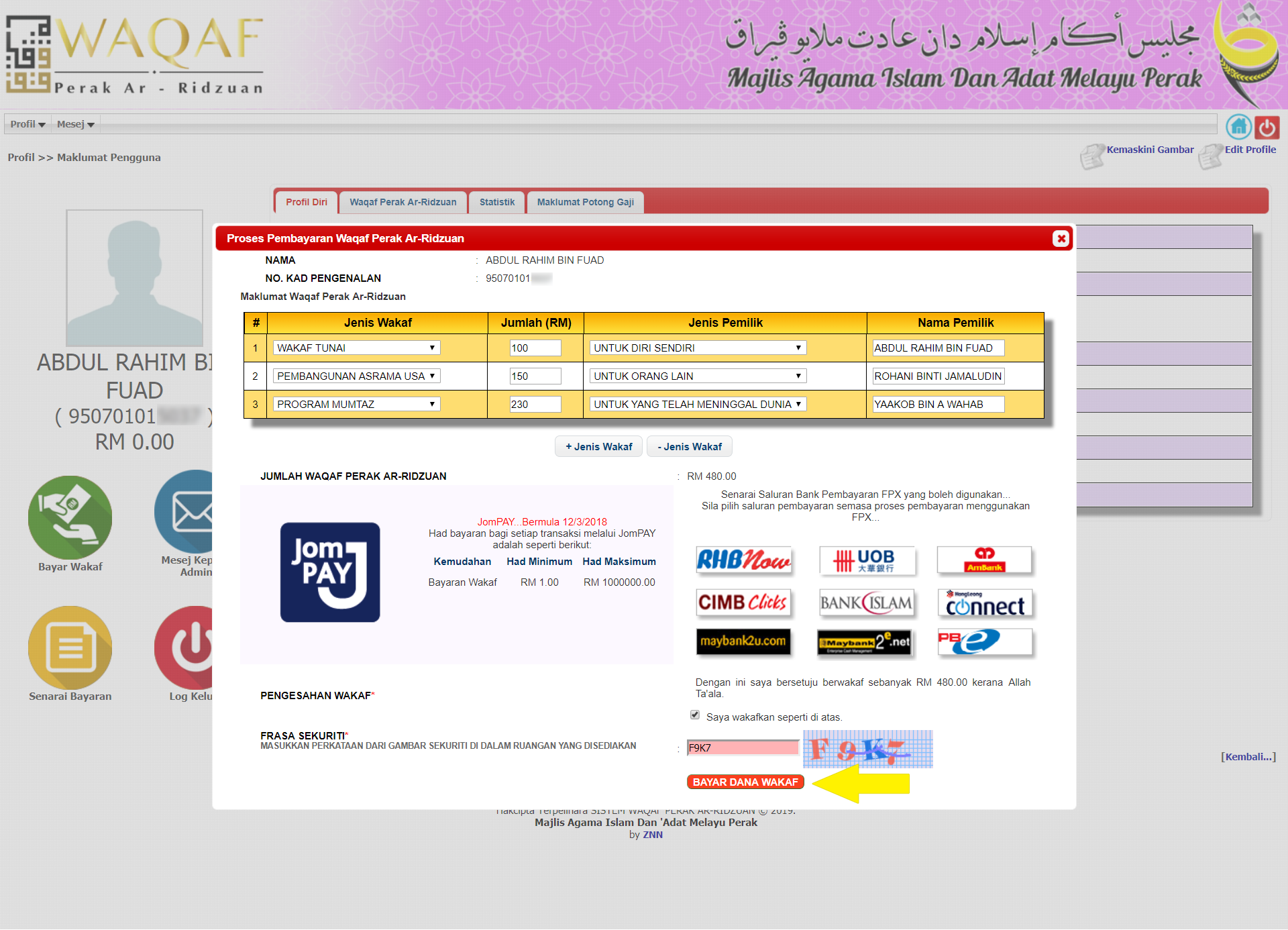
7. To pay waqf, click on the Waqf Pay button, a display showing pay waqf will appear, fill out all the information about the payment of the waqf such as the type of waqf, total/sum, type of ownership and the name of the owner, please tick the Confirmation of waqf and fill in the Securities Phrase and then click the Pay Waqf Fund button.
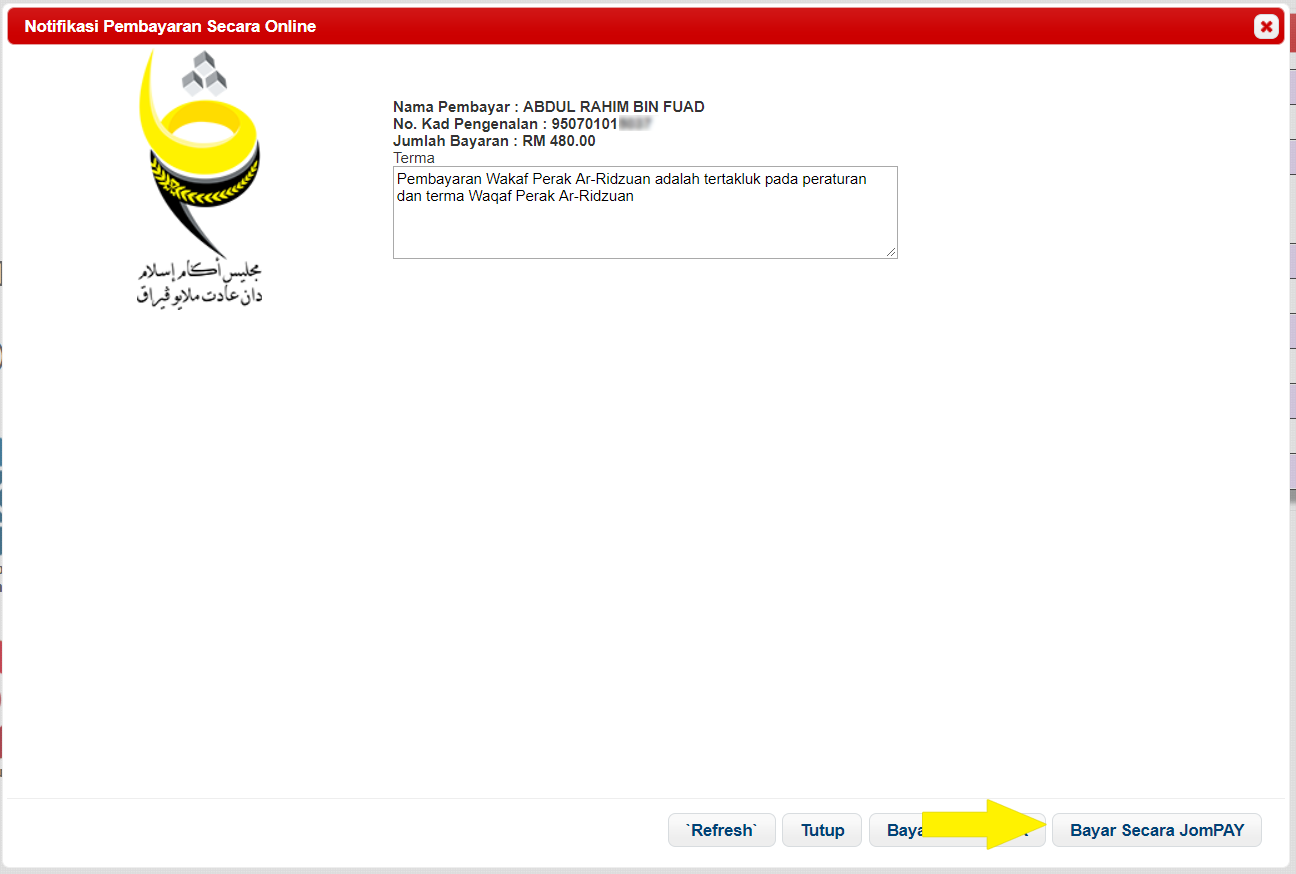
8. Online Payment Notifications pop-up will be displayed, click the Bayar Secara JomPAY.
9. Then, the display of confirmation on payment with JomPAY will appear. Please follow the steps that are shown to complete the payment. To receive Biller Code and Ref-1 trough SMS, insert mobile phone no. in the provided text box and make sure the “Hantar Ref-1 melalui SMS” checkbox is checked. Ref-1 also can be retrieved by scanning provided QR code by using application that installed in the mobile phone.
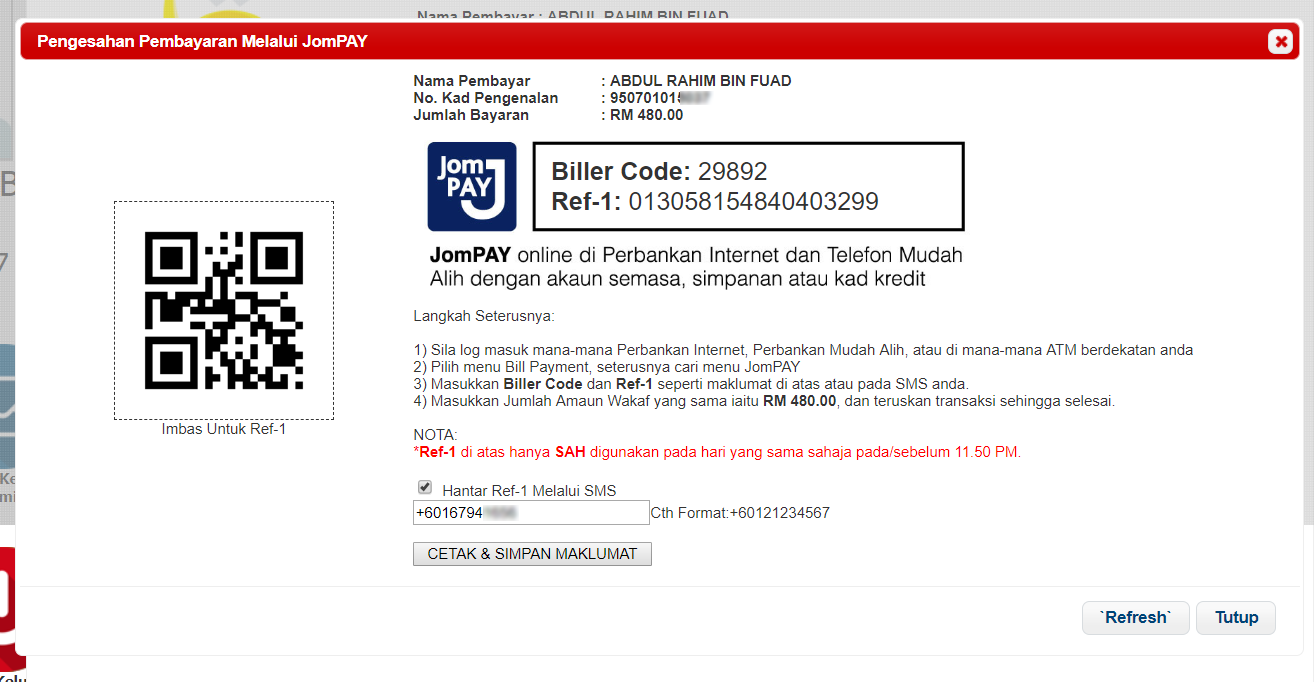
10. Then, the display of “Pengesahan Pembayaran Secara JomPAY” can be closed.
Unregistered / using Pay Waqf button on the Wakaf Perak Al Ridzuan Portal :
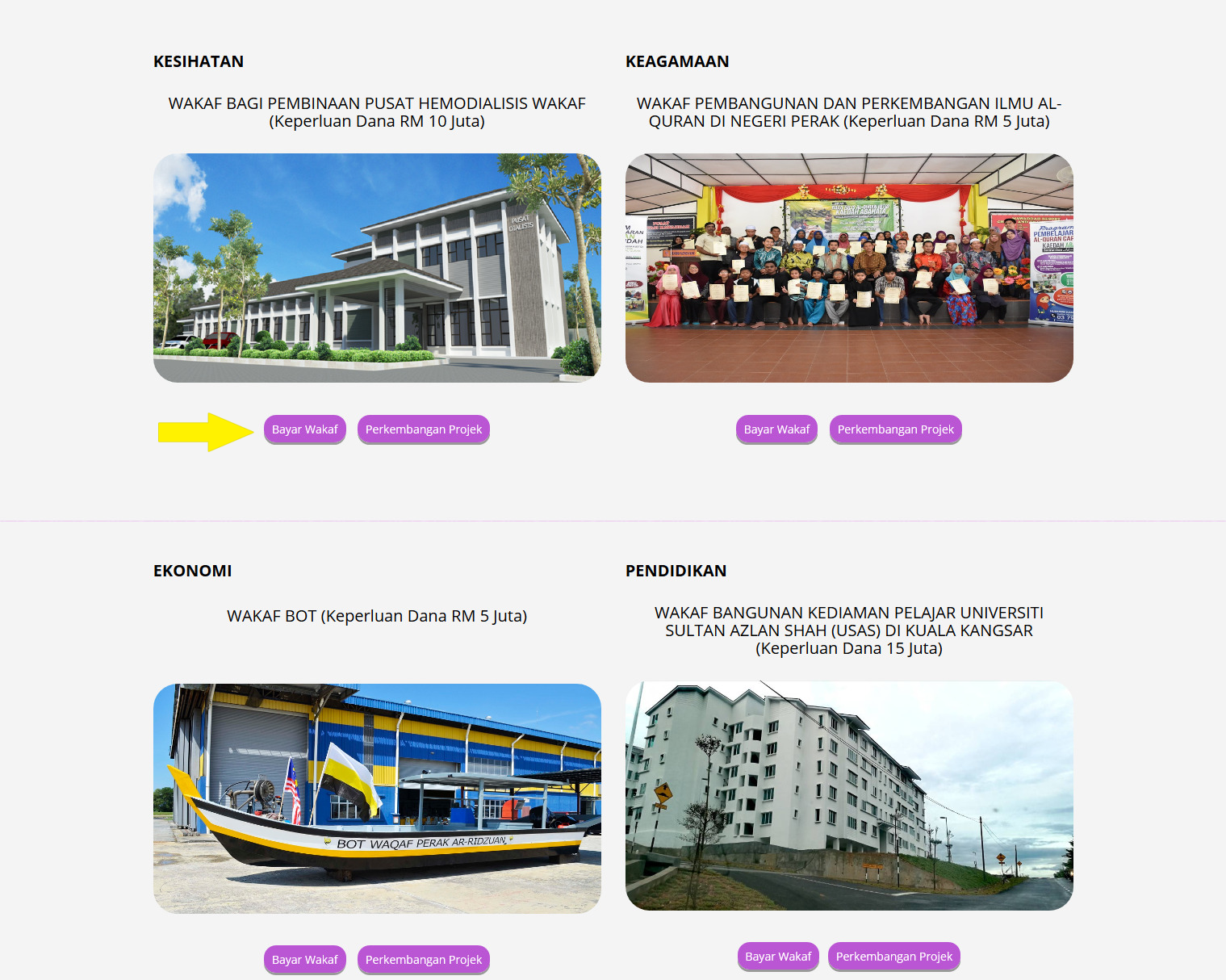
1. On the WAPAR Portal main screen there is a button for Pay Waqf in each Waqf Project displayed.
2. Please select the project you wish to contribute to, click on the Pay Waqf button.
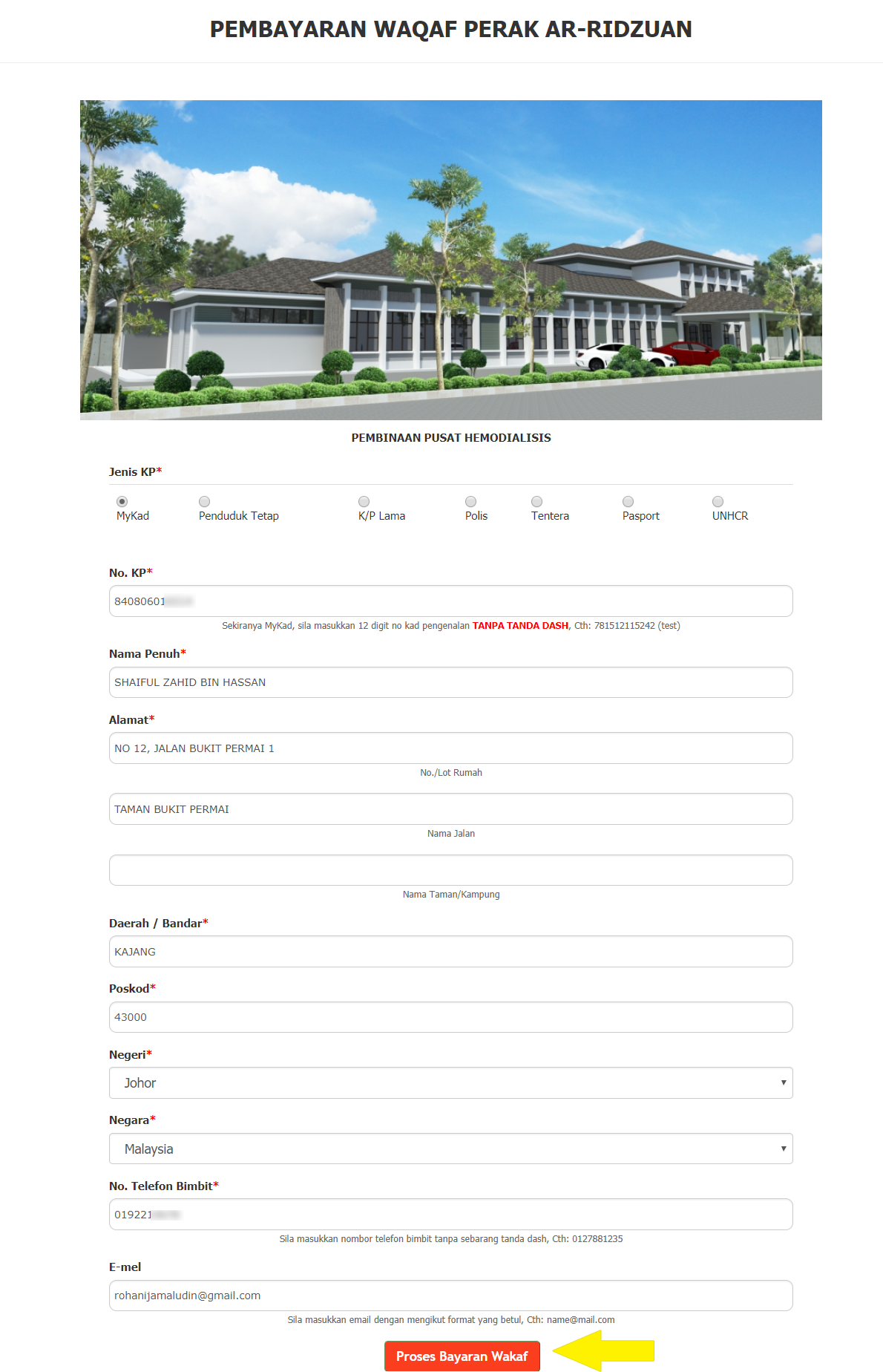
3. Then, the Wakaf Perak Al Ridzuan Payment display will appear, please fill in the space provided and click the Pay Wakaf Perak Al Ridzuan button (Note: If you have previously registered in the system, you only have to fill in the Identity Card space and all information will be displayed automatically)
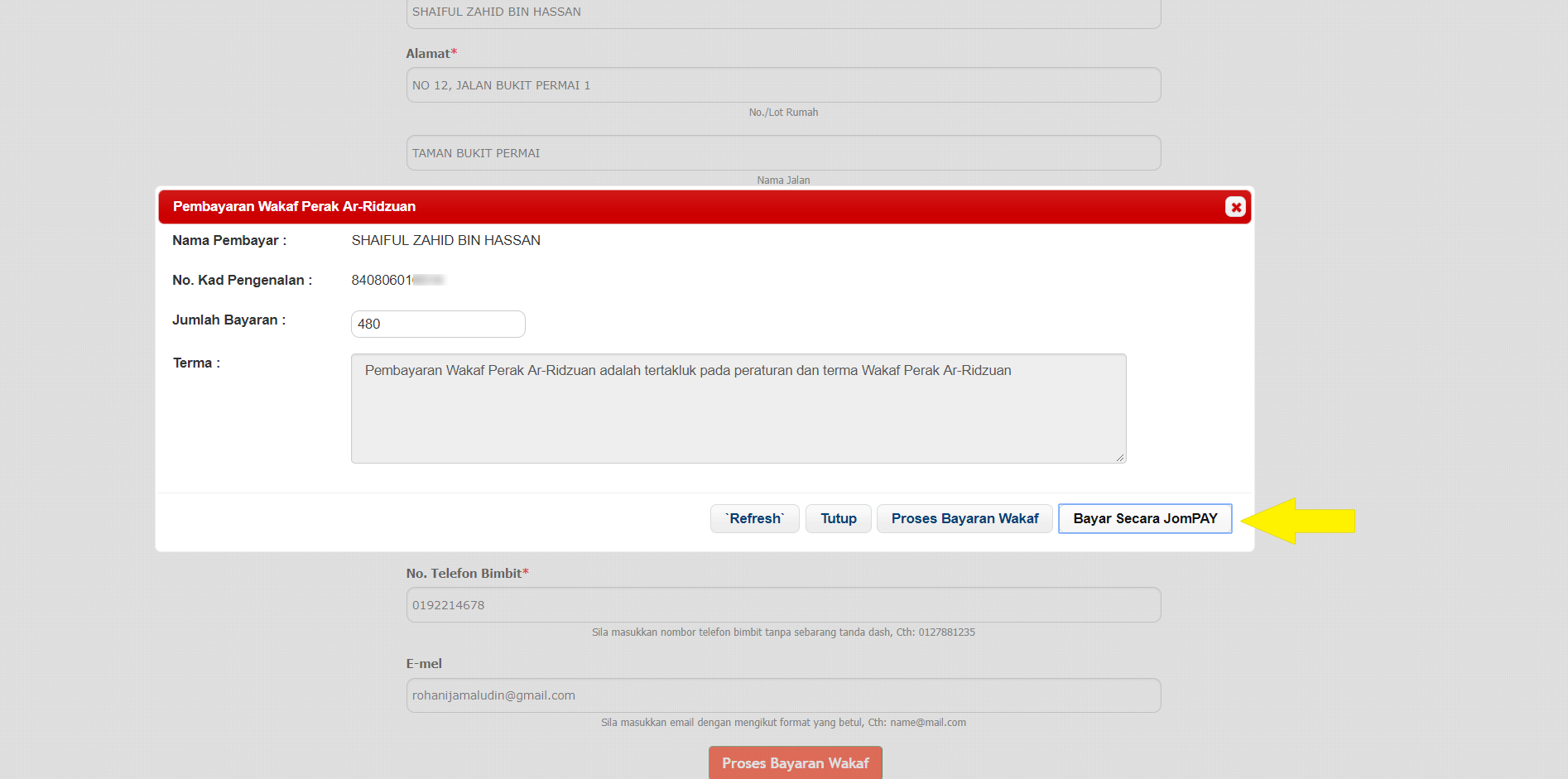
4. Wakaf Perak Al Ridzuan Payment pop-up will appear, please enter the sum you wish to give as waqf and click “Bayar Secara JomPAY”.
5. Then, the display of confirmation on payment with JomPAY will appear. Please follow the steps that are shown to complete the payment. To receive Biller Code and Ref-1 trough SMS, insert mobile phone no. in the provided text box and make sure the “Hantar Ref-1 melalui SMS” checkbox is checked. Ref-1 also can be retrieved by scanning provided QR code by using application that installed in the mobile phone.
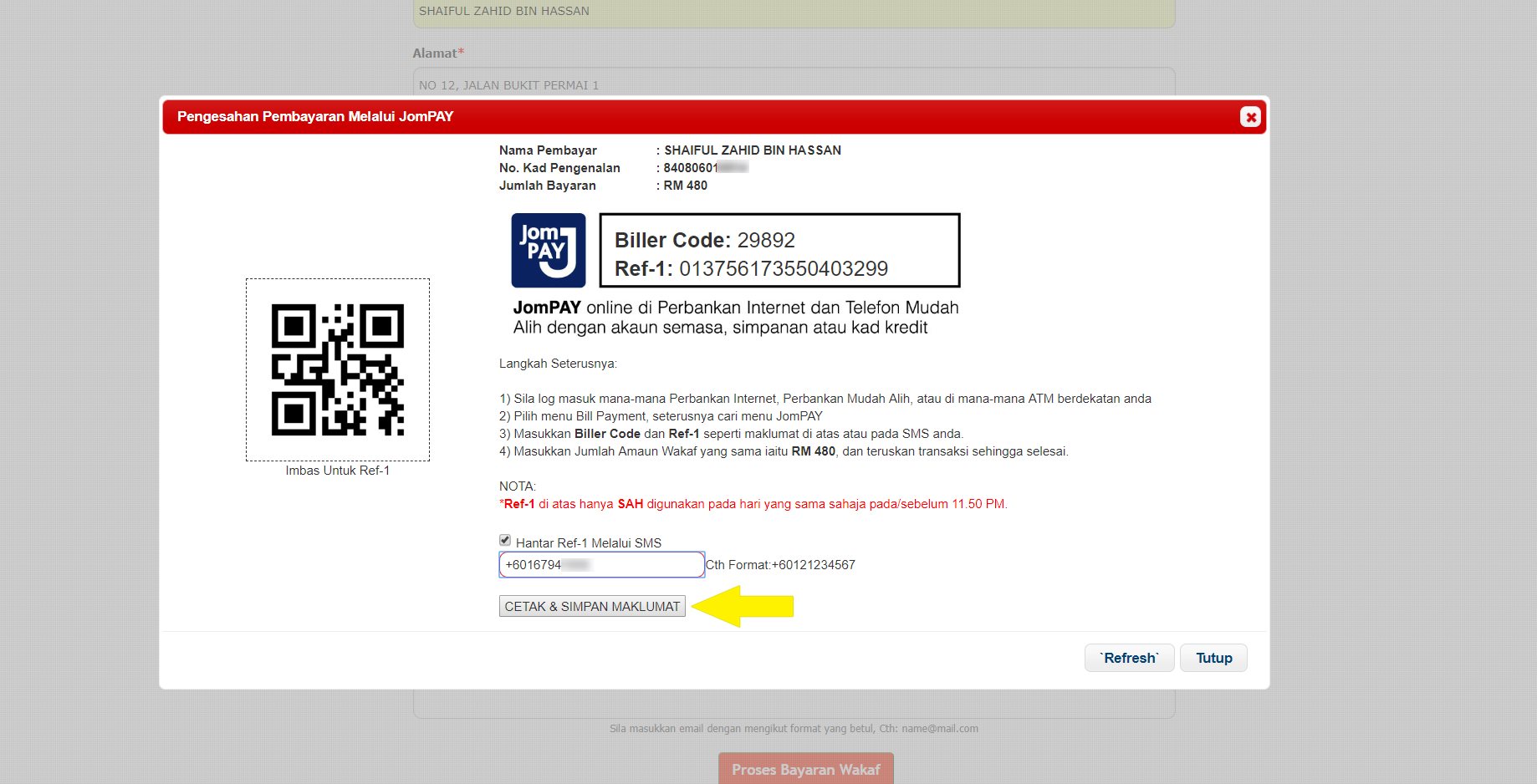
6. Then, the display of “Pengesahan Pembayaran Secara JomPAY” can be closed.


